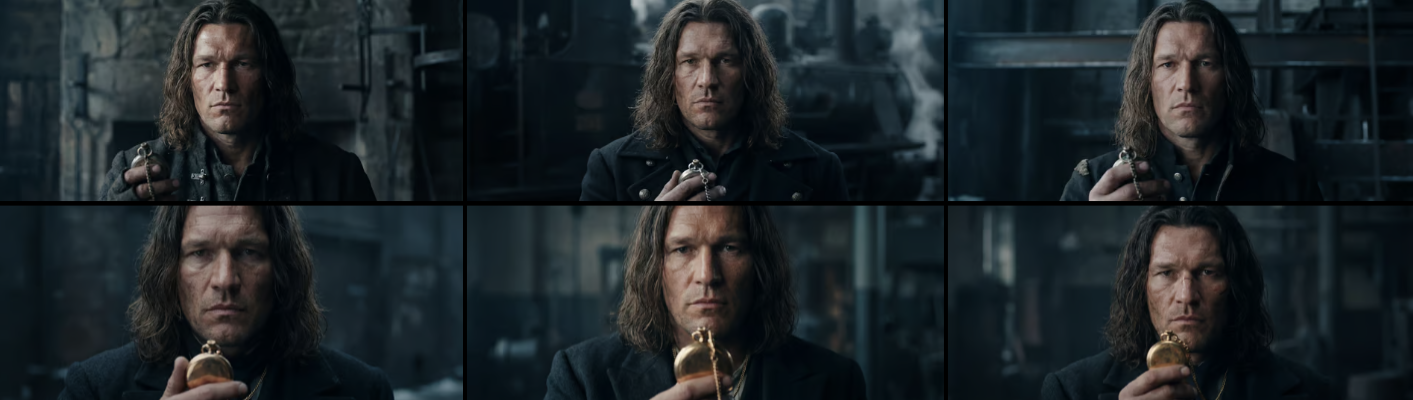
In this post I’m comparing Kling 3.0 vs Seedance 2.0 after running 150+ generations.
I’m making a short AI film. Started in January — still not done. But working on a project over several months, rather than just making quick test clips, puts you in a completely different relationship with the tools. You see how they evolve. You feel where they break. And you end up with a much clearer picture of what actually works.
This is not a comparison chart. It’s working notes from someone who spent time — and some money — inside these models.

Where It Started: Kling 2.6
When I began, Kling 2.6 was the main option available to me. The limitations were real: clips capped at around 5 seconds, no native audio, and results that were hard to predict from prompt to prompt.
My plan was straightforward — generate short clips, cut them together in the edit, add sound separately. Simple enough in theory.
In practice, I made over 150 generations. I never got what I was fully satisfied with.
That’s not a knock on Kling 2.6 — for its time, it was genuinely capable. But for action scenes with specific character consistency requirements, the tool had a ceiling. And I kept hitting it.
What I did learn: how to write tighter prompts, how to work within the 5-second constraint creatively, and how much of AI video production time goes into searching for a result rather than creating one.
Kling 3.0 vs Seedance 2.0: Key Differences
In February 2026, Kling 3.0 launched. A few things changed immediately.
Multi-shot sequences. For the first time I could describe multiple scenes within a single prompt and get something that actually felt connected. I had tried similar things with other models before, but the output always looked “cardboard” — somewhere between animation and a video game. Kling 3.0 produced results that felt grounded.
The multi-shot workflow in Kling 3.0 works through a tab-based system: you open a separate tab for each shot, add your prompt and parameters, then generate. Tab 1 for Shot 1, Tab 2 for Shot 2, and so on. It’s methodical, and it gives you control — but it takes time when you’re building a sequence of 3 or 5 shots.

Character consistency. Both Kling 3.0 and its elements system handle this well — you define a character visually and the model carries it across shots with reasonable reliability.
The audio problem. Kling 3.0 generates clips with native audio. My earlier Kling 2.6 footage had none. Trying to dub 2.6 clips separately turned out to be slow and expensive. After spending time on it, I made a decision: regenerate everything from scratch in 3.0.
That’s the kind of cost that doesn’t show up in tool comparisons. It shows up in your actual workflow.
The Surprise: Seedance 2.0
While deep in Kling 3.0 production, Seedance 2.0 launched. I tried it without high expectations.
I was surprised.
The prompt workflow is simpler. Instead of Kling’s tab-per-shot system, Seedance takes a different approach: you write the full multi-shot prompt as a single structured text — generate it with ChatGPT, copy, paste, done. For someone who writes a lot of prompts quickly, this is a meaningful difference in rhythm.
Prompt example:
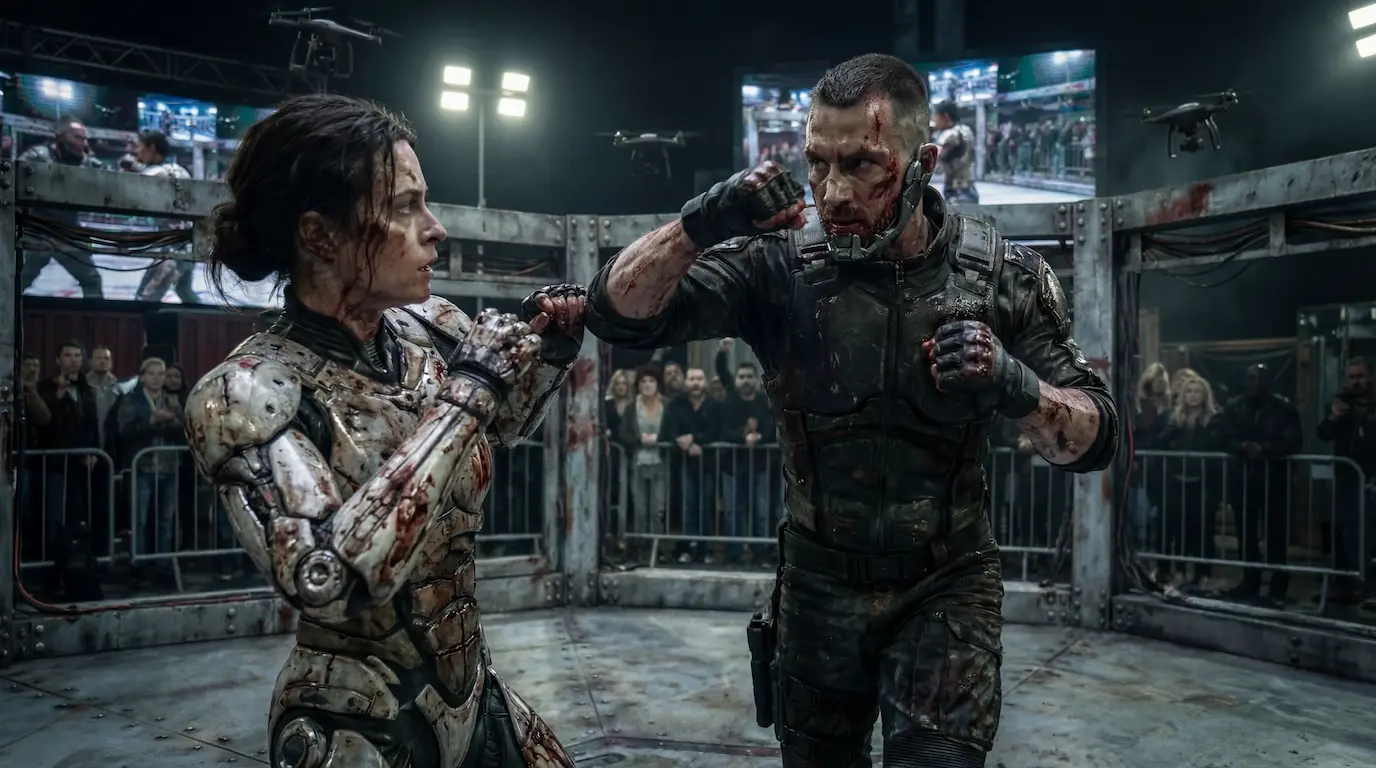
Scene 1 Male cyborg and female cyborg exchange rapid strikes. Camera opens with a drone shot from above — wide, cold, clinical — then cuts aggressively with whip pans at ground level, switching angles with instability. Movement continuous. No music. Keep characters consistent.
Scene 2 Male cyborg lands a punch to female cyborg face. Camera snap zooms on impact from low angle — fist fills frame, ground visible below. Immediately reframes from above as female cyborg attempts counterattack, drone shot tightening downward. No music. Keep characters consistent.
Scene 3 Male cyborg pauses briefly facing female cyborg. Camera starts low angle — bodies tower over lens, ground close. Slowly pushes in with instability, slight jitter. Then cuts to drone shot pulling back slightly, both figures isolated in the center of the octagon, tension builds from above. No music. Keep characters consistent.
Scene 1 Male cyborg and female cyborg exchange rapid strikes. Camera opens with a drone shot from above — wide, cold, clinical — then cuts aggressively with whip pans at ground level, switching angles with instability. Movement continuous. No music. Keep characters consistent.
Scene 2 Male cyborg lands a punch to female cyborg face. Camera snap zooms on impact from low angle — fist fills frame, ground visible below. Immediately reframes from above as female cyborg attempts counterattack, drone shot tightening downward. No music. Keep characters consistent.
Scene 3 Male cyborg pauses briefly facing female cyborg. Camera starts low angle — bodies tower over lens, ground close. Slowly pushes in with instability, slight jitter. Then cuts to drone shot pulling back slightly, both figures isolated in the center of the octagon, tension builds from above. No music. Keep characters consistent.
Character consistency works similarly — through reusable character elements that you define and then drop into scenes. The approach is comparable to Kling 3.0 in concept.
The key difference I noticed: content moderation. Kling handles it more flexibly for action content. In Seedance, if your character reference image includes blood on their face, the model starts rejecting the request — even when using the exact same image that was previously accepted as a reference. For a fight scene, this becomes a real friction point. You end up either working around it or losing time on regenerations that get blocked.
The economics. For the clip I’m sharing with this post: the prompt took about 30 seconds to write, generation ran for 3–4 minutes, and the cost was around €1.50. The result was solid — good enough to use in the final edit after upscaling and artifact cleanup.
The Real Problem Nobody Talks About
Here’s what I keep thinking about, and it’s not about any specific tool.
If you look at what different creators are generating in the AI action/fight genre right now — the dynamics look almost identical. The rhythm of movement, the camera behavior, the way impacts land. Almost interchangeable.
This isn’t a criticism of the models. It’s a natural outcome of how they’re trained. The model has learned a version of “fight scene” from its training data, and that’s what it produces when you ask for one.
The implication: to stand out in AI video, technical proficiency isn’t enough anymore. You have to think differently at the concept and direction level — find the angle that the model doesn’t default to. That’s harder than learning a new tool, and it matters more.
That’s my next challenge on this project.
A Few Practical Notes
On music: I don’t include music in generated clips. In every prompt I specify sound effects only, no music. I add music during editing. This keeps the generative output clean and gives me full control over the final mix.
On upscaling: Every clip I plan to use goes through upscaling before the edit. Artifact cleanup is part of the workflow, not an exception.
On prompt length: Short, specific prompts often outperform long detailed ones — especially for motion and action. This was also my experience with sound effect generation in earlier projects.
Where This Is Going
The short film isn’t done. The fight scene still needs several more shots, and I’m still working out the approach to make the movement feel distinct rather than generic.
But the tools available now versus January are genuinely different. Multi-shot sequencing, character consistency, native audio — problems that felt structural a few months ago are mostly solved.
The new problems are more interesting. And harder.
Working on an AI film or running into similar issues with these tools? Drop a comment — genuinely curious to compare approaches.
Need a video like this for your brand?
I produce cinematic AI video ads for brands and agencies — from concept to final edit.